Turn a Google Doc into a branded Canva infographic
Attach a blog post or guide from Google Drive, ask Claude to create an infographic, and get multiple design options you can open directly in Canva.
You've written a blog post, a how-to guide, or a product tutorial. Now you need a visual version for social media or your website. Instead of opening Canva and starting from scratch, attach the document and let Claude handle the design.
Claude reads your content, identifies the key points, and generates multiple infographic options through the Canva connector—each one ready to customize.
Can you create a branded infographic in Canva from this post?
This workflow connects two tools: Google Drive (to read your content) and Canva (to create the design). Enable in Settings > Connectors before you start.
After enabling Google Drive and Canva, click the + button in your chat bar and toggle the connectors on. Attach your document by selecting "Add from Google Drive."


The more specific you are about design preferences—colors, style, format—the closer the first drafts will be to what you want.
Claude reads your document, identifies the structure, and generates multiple design options. Each design opens directly in Canva where you can customize.
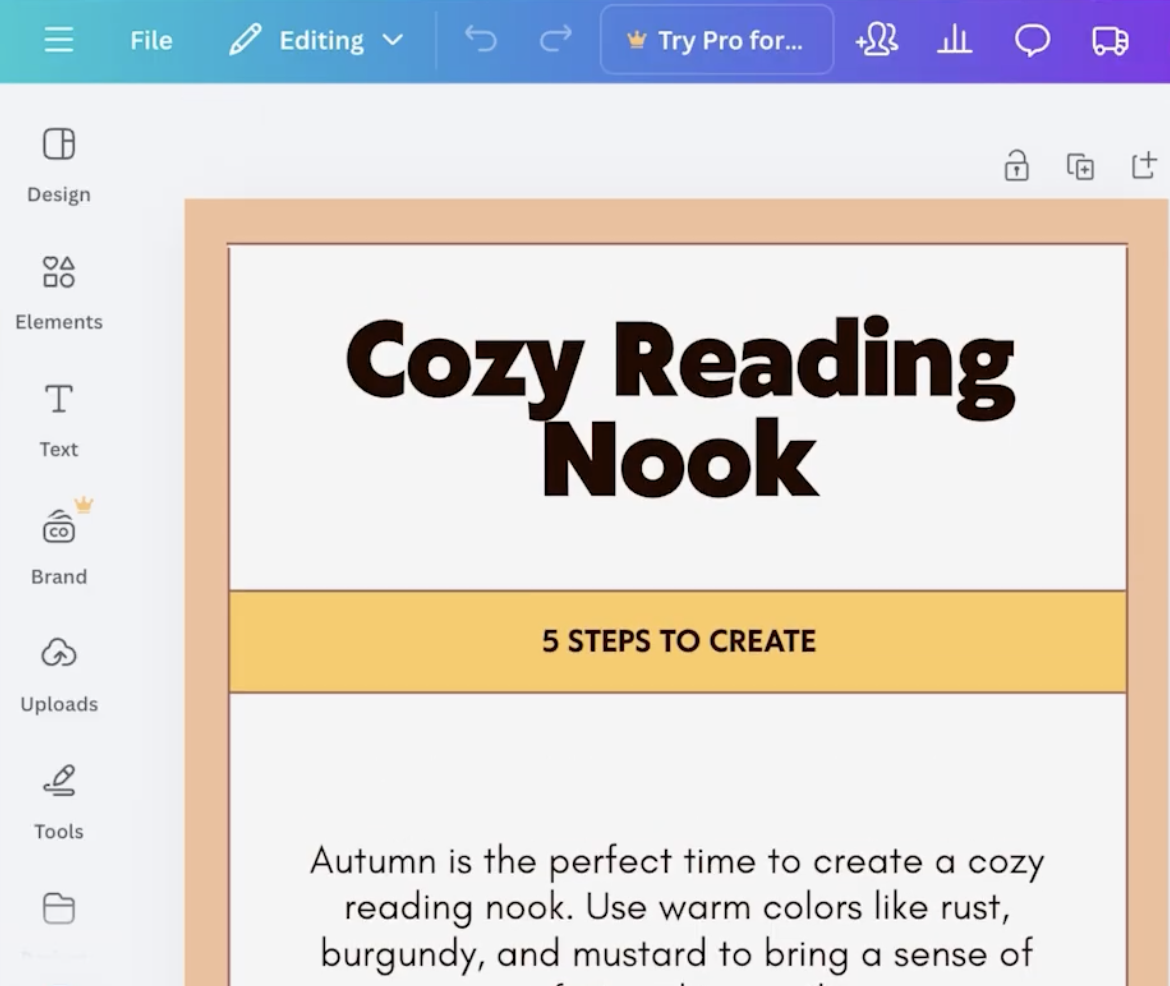
I'll create a branded infographic based on your "5 Steps to Create a Cozy Reading Nook for Fall" guide.
Let me generate some design options through Canva...
Design Options:
Design 1: Clean modern layout with autumn color palette
Design 2: Professional step-by-step layout
Design 3: Branded minimalist approach
Each design features:
Click any design link to open it in Canva, where you can adjust colors, swap fonts, or add your logo.
Same content, different layout—Claude regenerates as a multi-slide design for social platforms.
Can you make this a carousel instead? I need 5 slides for Instagram.
Claude adjusts the color palette and regenerates options to match your brand.
Use my brand colors instead: #2D5A4A and #F4E4D8
Create matching visuals for different channels from the same source content.
Create a matching Pinterest pin and LinkedIn graphic from the same content.
"Create an infographic" works, but "Create a vertical infographic with icons for each step, using warm autumn colors" gets you closer on the first try.
After Claude generates a design, ask it to resize for different platforms (Instagram, LinkedIn, Pinterest) and export as PNG or PDF. You can get multiple formats from one conversation.
For quick tweaks (moving elements, changing a font), edit directly in Canva. For bigger changes (different layout, different format), describe what you want and let Claude regenerate.